
Vibration-based gaming peripherals have become essential accessibility tools for deaf gamers, offering haptic feedback that replaces or supplements audio cues. The most advanced options include the Xbox Adaptive Controller paired with vibration motors, DualSense PlayStation 5 controller with haptic feedback technology, and specialized gaming headsets like the HyperX Cloud that work in conjunction with haptic vests or vibration chairs. For deaf gamers, these vibration features translate in-game events—explosions, footsteps, dialogue emphasis, and environmental changes—into physical sensations that hearing players would normally experience through sound.
The technology has evolved significantly over the past decade. Early vibration motors were basic rumble effects, but modern haptic feedback systems like Sony’s DualSense provide nuanced, directional vibrations that can convey information about game events with surprising precision. A deaf gamer playing a tactical shooter, for example, can feel distinct vibration patterns that indicate whether an enemy approached from the left or right, or feel the difference between a rifle shot and a sniper round through the intensity and duration of the haptic feedback.
Table of Contents
- Which Gaming Controllers Offer the Best Vibration Features for Deaf Accessibility?
- The Limitations of Standard Gaming Headsets for Deaf Players
- Haptic Vests and Specialty Devices as Alternative Vibration Solutions
- Practical Setup: Combining Controllers and External Devices for Maximum Feedback
- Real-World Challenges: Game Support and Compatibility Issues
- Accessibility Settings and Customization Options
- The Future of Haptic Gaming and Emerging Technologies
- Conclusion
- Frequently Asked Questions
Which Gaming Controllers Offer the Best Vibration Features for Deaf Accessibility?
The Xbox Adaptive Controller stands out as the most customizable option for deaf gamers seeking vibration-based feedback. Designed with accessibility as a core principle, it allows users to attach multiple vibration motors to different positions on the controller or external mounting points, creating a personalized haptic feedback system. Players can program these motors to respond to specific in-game events, meaning a deaf gamer can configure one motor to vibrate for footsteps, another for gunfire, and a third for dialogue or important notifications.
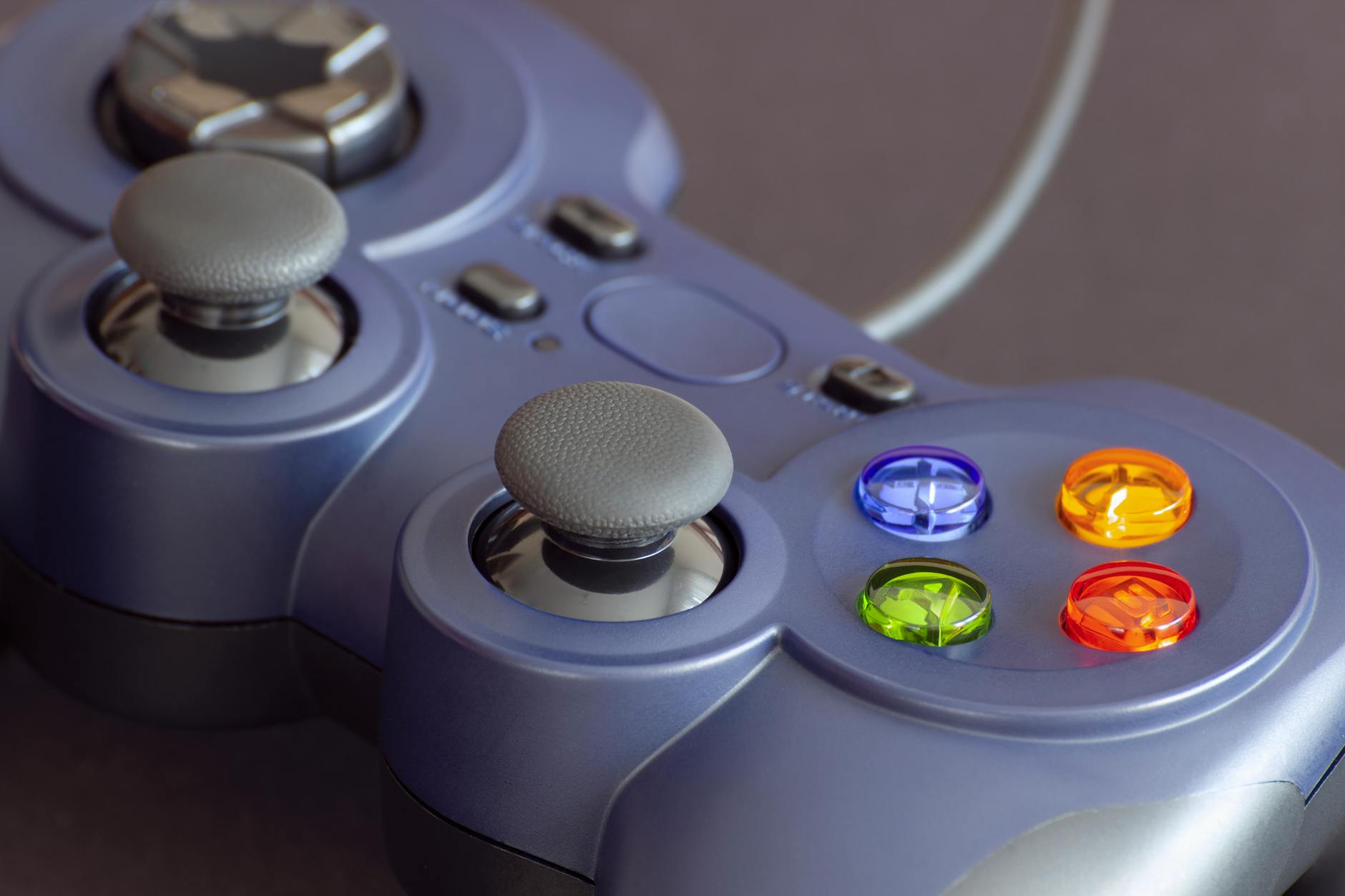
The PlayStation 5 DualSense controller offers built-in haptic feedback without customization, but the technology is impressive on its own. The controller contains multiple small motors that work together to create sensations—subtle textures when walking through different surfaces, the feeling of a bowstring being pulled, or distinct feedback patterns for different weapon types. However, the DualSense feedback is game-dependent; not every game implements the haptic features, and deaf gamers have no control over which vibrations represent which in-game events. The Nintendo Pro Controller, by contrast, has more basic vibration and lacks the advanced haptic capabilities of its competitors, making it less suitable for deaf accessibility needs.
The Limitations of Standard Gaming Headsets for Deaf Players
Traditional gaming headsets like HyperX Cloud, SteelSeries Arctis, and Corsair HS series are fundamentally designed for audio delivery and cannot independently provide the accessibility deaf gamers need. These headsets produce no vibration on their own—the term “vibration-enabled gaming headset” is largely a marketing misnomer, as headsets themselves don’t vibrate to convey game information. However, some of these headsets can work alongside external haptic devices, such as vibration vests or subwoofer-based systems that convert audio signals into physical vibrations. A critical limitation here is cost and complexity.
Combining a quality gaming headset with a dedicated haptic feedback system (like a haptic vest from bHaptics or a subwoofer chair) can easily exceed $300-500, placing it beyond reach for many gamers. Additionally, these external vibration systems require separate setup, calibration, and often proprietary software to sync with specific games. Unlike the integrated vibration in modern controllers, aftermarket haptic systems may not work seamlessly across all games, and support varies wildly. A deaf gamer considering this route should verify that their preferred games support the external haptic device before investing.
Haptic Vests and Specialty Devices as Alternative Vibration Solutions
Haptic vests and body-worn vibration devices represent a growing category of accessibility tools for deaf gamers. Companies like bHaptics manufacture vests with 40+ individual vibration motors that provide full-body haptic feedback synchronized to game audio or programmed events. When a explosion occurs near the player’s character, the vest vibrates in a pattern that mimics the direction and intensity of the blast—deaf gamers report that this creates a genuinely immersive experience that can rival audio-based gameplay.
The challenge with haptic vests is that they require games to support them or use middleware software that translates audio into haptics. Some popular games have native support, but many don’t, limiting their utility. A deaf gamer playing Fortnite with a bHaptics vest will experience excellent feedback for combat and environmental events, but switching to a less popular indie game might offer little to no haptic support. The physical comfort factor also varies; wearing a vest for extended gaming sessions (2+ hours) can become uncomfortable for some users, and the devices are warm when running multiple motor outputs simultaneously.
Practical Setup: Combining Controllers and External Devices for Maximum Feedback
For deaf gamers seeking the most comprehensive vibration experience, a tiered approach works best: start with a vibration-enabled controller like the DualSense or Xbox Adaptive Controller as the foundation, then add external haptic devices based on personal preference and budget. This strategy allows a gamer to experience consistent, game-supported vibration through the controller while augmenting specific games with vest or chair haptics for immersion. A practical example: a deaf gamer playing narrative-driven games like The Last of Us might rely primarily on the DualSense’s haptic feedback, which the game implements extensively.
However, the same player might add a haptic vest when playing competitive multiplayer, where full-body awareness of environmental events provides a tactical advantage. The tradeoff is complexity—managing multiple devices and ensuring they’re synchronized requires technical comfort and troubleshooting ability. Newer gamers or those with limited budgets should start with a single quality controller and upgrade incrementally rather than investing in a full haptic ecosystem immediately.
Real-World Challenges: Game Support and Compatibility Issues
Not all games support vibration features equally, and this inconsistency represents the biggest practical limitation for deaf gamers relying on haptics. While AAA titles from major studios increasingly implement detailed haptic feedback, indie games and older titles may offer minimal or no vibration support. A deaf player might purchase an expensive haptic vest expecting broad compatibility, only to discover that it works well with 10 games they own but provides little benefit for the other 50 titles in their library.
Another critical warning: some games intentionally disable haptic feedback during certain scenarios or in response to player preferences, and developers sometimes don’t document these limitations. For example, a game might reduce haptic feedback in menus or during cinematics to avoid distraction, meaning deaf players miss important narrative information that sighted gamers hear through dialogue. Before purchasing haptic equipment, deaf gamers should research specific titles they play and confirm haptic support through forums, reviews, and publisher information rather than assuming features exist.

Accessibility Settings and Customization Options
Modern gaming consoles and controllers increasingly include accessibility settings specifically for deaf players. The Xbox Adaptive Controller’s customization dashboard allows users to program complex vibration sequences, while the PlayStation 5 includes settings to adjust DualSense haptic feedback intensity. Some games now offer “deaf mode” or “haptic-focused” difficulty settings that enhance vibration feedback and reduce reliance on audio cues, though this feature set remains inconsistent across the industry.
Third-party customization software has emerged to fill gaps where official tools fall short. Applications allow deaf gamers to remap vibration patterns, adjust sensitivity, and create custom profiles for specific games. However, using third-party software can sometimes trigger anti-cheat systems in competitive games, creating a frustrating paradox where accessibility tools are treated as potential cheating mechanisms. Deaf gamers should verify compatibility before relying on custom software for their primary games.
The Future of Haptic Gaming and Emerging Technologies
Haptic technology in gaming continues to advance rapidly, with newer controllers and experimental systems offering increasingly refined feedback. Upcoming controllers from both Sony and Microsoft promise more sophisticated haptic engines, while research into ultrasonic haptics (vibrations felt through the air rather than physical contact) could revolutionize deaf gaming accessibility.
These emerging technologies suggest that deaf gamers’ options will expand significantly in coming years. The industry has begun recognizing deaf accessibility as a standard design consideration rather than an afterthought, with major developers consulting deaf gamers during development to ensure vibration feedback conveys game-critical information effectively. This shift means new games are more likely to ship with robust haptic support by default, reducing the current patchwork of inconsistent support that deaf gamers navigate today.
Conclusion
Deaf gamers now have viable options for experiencing games through vibration-based feedback, with controllers like the Xbox Adaptive Controller and PlayStation 5 DualSense offering integrated haptic capabilities that work across many titles. Combining these controllers with external devices like haptic vests provides deeper immersion for those who invest in a full setup, though this approach requires technical knowledge and research to navigate effectively.
The most important first step is understanding that vibration accessibility exists and testing what works best for your preferred games and personal comfort level. Before investing in expensive haptic equipment, research the specific games you play, start with a quality vibration-enabled controller, and join deaf gaming communities online to learn from other players’ experiences. The gaming industry’s growing recognition of deaf accessibility means options will continue improving, making now an opportune time to explore what haptic feedback can offer your gaming experience.
Frequently Asked Questions
Do all modern gaming controllers have vibration feedback?
Most mainstream controllers from major manufacturers include vibration motors, but the quality and sophistication vary significantly. Xbox and PlayStation controllers have strong vibration features, while Nintendo Pro Controllers offer more basic rumble. PC gaming peripherals vary widely, with some specialized controllers including haptic feedback and others offering none.
Can deaf gamers use vibration feedback to determine enemy location in competitive games?
Yes, in games designed with this in mind. Advanced haptic feedback can convey directional information through vibration intensity and pattern changes. However, this depends entirely on whether the specific game implements directional haptics, and you should research individual titles before relying on this for competitive play.
Is a haptic vest worth purchasing for deaf gamers?
It depends on your game preferences and budget. Haptic vests provide immersive full-body feedback but work best with games that support them natively. Start with a quality controller first, then consider a vest if you want deeper immersion and have confirmed compatibility with your preferred games.
What’s the difference between “vibration” and “haptic feedback”?
Vibration is a simple motor rumble, while haptic feedback involves multiple motors creating varied, nuanced sensations. Haptic feedback can communicate more complex information through different patterns, intensities, and durations, making it more useful for accessibility purposes.
Do gaming headsets provide vibration features?
Standard gaming headsets do not vibrate. The term “vibration headset” is misleading marketing. You can pair headsets with external haptic devices, but the headset itself only produces audio. For deaf gamers, focus on controllers and dedicated haptic devices rather than headsets.
Can I use haptic feedback on PC games?
Yes, but with limitations. PC games have inconsistent haptic support compared to console games. Some work with Xbox or DualSense controllers connected to PC, while others require specialized software. Research each game individually to confirm haptic support before purchasing.